
Feather Client download for Windows: use dawn.gg
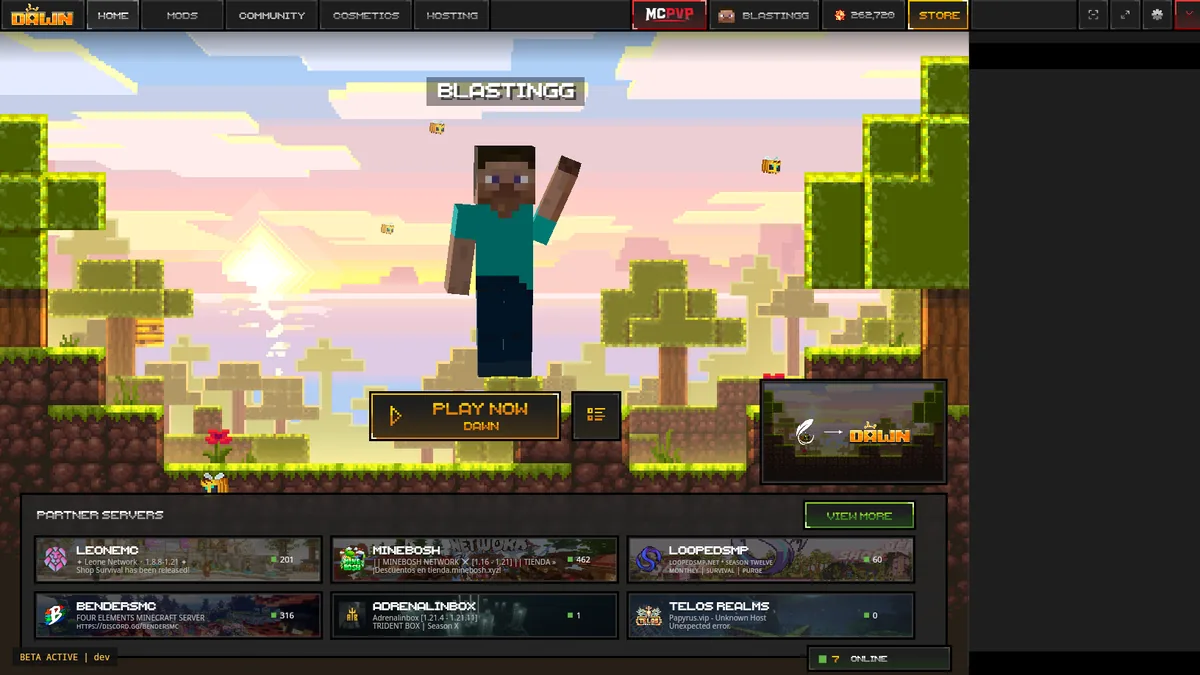
For a Feather Client download on Windows, use the first-party Feather redirect or Dawn's official download section. The Feather homepage says Feather is now Dawn, and its Windows calls to action point to dawn.gg. The Dawn page displayed client version 0.2.0.338 when checked on August 1, 2026.
We do not mirror the installer because a copied file can become stale or lose its publisher context. The download button above preserves the official destination and gives you time to confirm it before leaving this guide.
Windows launcher versus Fabric JAR
Both can appear in Feather download searches, but they solve different jobs.
| File route | Choose it when | Typical mistake |
|---|---|---|
| Dawn Windows download | You want the full launcher, profiles, modules, and normal sign-in | Looking for a file named Feather instead of following the official rebrand |
| Feather Fabric route | A compatible guide specifically requires the standalone JAR | Double-clicking it and expecting the full desktop launcher |
Windows preparation checklist
Install current Windows updates, update your graphics driver when Minecraft has rendering problems, and leave enough disk space for the launcher plus every game profile. Modpacks and multiple Minecraft versions can consume gigabytes even when the initial launcher download is small.
Use a standard user account that can approve software installation. Corporate, school, or family-managed PCs may block launchers through policy. Do not weaken security controls globally; ask the device administrator or use a device you control.
- Confirm the address is dawn.gg before choosing Windows.
- Use a Microsoft account that owns Minecraft.
- Keep Windows Security enabled and review any warning in context.
- Back up existing worlds before importing or changing profiles.
Install Dawn and complete the first launch
Open the installer from the browser's download list. If Windows shows a reputation prompt, verify that the file came from Dawn's current official page rather than dismissing the warning automatically. Complete the setup, launch Dawn, and use the Microsoft account flow.
Create a clean profile with a Minecraft version visible in the launcher. Launch it before adding mods. This downloads the required runtime and assets and separates account or graphics problems from mod problems.
Choose Windows on Dawn
Do not use the macOS package or standalone Fabric JAR.
Review the downloaded file
Check the destination and keep the file in your normal Downloads folder until verified.
Install and sign in
Follow Windows prompts and use the legitimate Microsoft flow.
Launch a clean profile
Verify game startup before changing memory, Java, or mods.
Fix common Windows launch problems
When Dawn opens but Minecraft does not, read the profile log before reinstalling everything. A wrong Java override, outdated graphics driver, corrupted mod, missing Fabric API, or memory setting can be more relevant than the launcher itself. Return custom Java and memory settings to defaults for the first test.
If the launcher never opens, restart Windows, confirm that no older instance is stuck in Task Manager, and retry from the official file. Re-download only after confirming the source. Avoid registry cleaners, unofficial repair packs, or YouTube descriptions that bundle extra executables.
Windows safety and account boundaries
Feather Client cracked downloads, no-premium builds, cosmetics unlockers, and old installer archives are not part of the verified route. Repositories using popular client names can be created by anyone. A familiar icon or filename does not prove publisher ownership.
Never enter Microsoft credentials into a download page, Fabric mod, cape file, profile ZIP, or chat bot. Authentication should occur through the launcher's legitimate Microsoft flow. If a suspicious installer has already run, disconnect it, scan the device with Windows Security, change exposed passwords from a clean device, and review Microsoft account sessions.
Choose the right Feather Client download for Windows scenario
A Feather Client download for Windows can fail for different reasons depending on when the problem appears. If no file downloads, check the browser's download panel, connection, and whether dawn.gg is blocked by a managed network. If the file downloads but Windows will not open it, verify the source again and review the exact Windows Security or administrator message instead of downloading a second copy from another site.
If Dawn installs but does not start, restart Windows and check Task Manager for a background instance. Temporarily remove custom compatibility-mode settings that were copied from an old tutorial. If Dawn starts but Minecraft fails, the launcher installation probably succeeded; focus on the profile log, Java override, graphics driver, memory setting, loader, and mods.
If Minecraft starts cleanly but a server rejects the connection, confirm the server's supported game version and allowed client modules. A network or server policy issue is not fixed by reinstalling the Windows launcher. This decision order prevents unrelated changes and preserves useful error evidence.
Complete the Feather Client download for Windows check by reopening Dawn after a Windows restart and launching the same clean profile. Confirm the shortcut points to the installed application, not a temporary file. Save the working profile version and source date before adding mods so a later change has a clear baseline.
No download
Confirm dawn.gg, the browser download state, and local network policy.
Installer blocked
Read the Windows prompt and verify the original source before approving anything.
Launcher will not start
Restart, check running processes, storage, and managed-device restrictions.
Minecraft will not start
Use the profile log and test default runtime, memory, and mod settings.
Feather Client Windows FAQ
Platform-specific answers before you install.
Can I download Feather Client for Windows 10 free?
Dawn is listed as a free launcher and is the current destination linked by Feather. A compatible Windows system and a legitimate Minecraft license are still required.
Is there a standalone Feather Windows installer?
The current official Feather page directs Windows users to Dawn. We did not find a separately maintained Feather-branded consumer installer there.
Why will the installer not open?
Check the source, Windows policy, security prompt, available storage, and whether another launcher instance is running. Avoid disabling protection globally.
Does Dawn include Java?
Let the current launcher manage its default runtime for the first test. Only set a custom Java path when a documented profile requirement calls for it.
Can I use OptiFine with the Windows client?
Compatibility depends on the exact Minecraft profile, loader, and OptiFine build. Do not assume a file for 1.20.1 works with another version or loader.